Claims. Tokens. Sessions
Claims
Users attributes or data about the user like email address, full name etc. The asserting party (IdP) tells the API (eg. Microsoft Graph, Intune) about your (subject) claims (attributes) and what you're authorized to do.
They are embedded in tokens and only accepted if the asserting party is trusted.
Tokens
They are basically a pass to enter club so you don't hate outside of it (a little joke) you can use that same token for different types of clubs as well. In technical terms it is a secure device that allows access to protected resources.
There are different types of authentication tokens:
Session
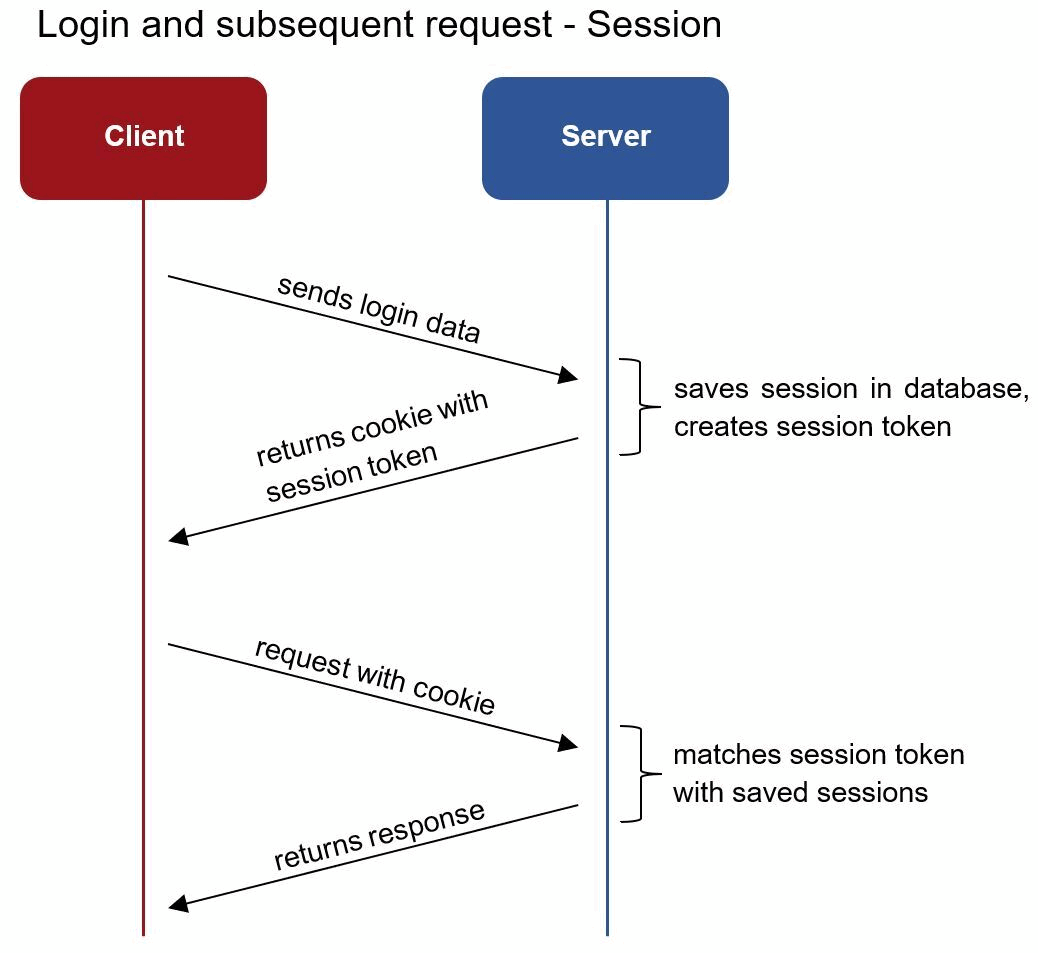
This token is a authenticate one and done. The server sends you a unique ID that is stored in your browser cookies and stores it in it's memory to remember that it is your token, every time you do something that same token is used to prove (non-repudiation) is you.
JWT
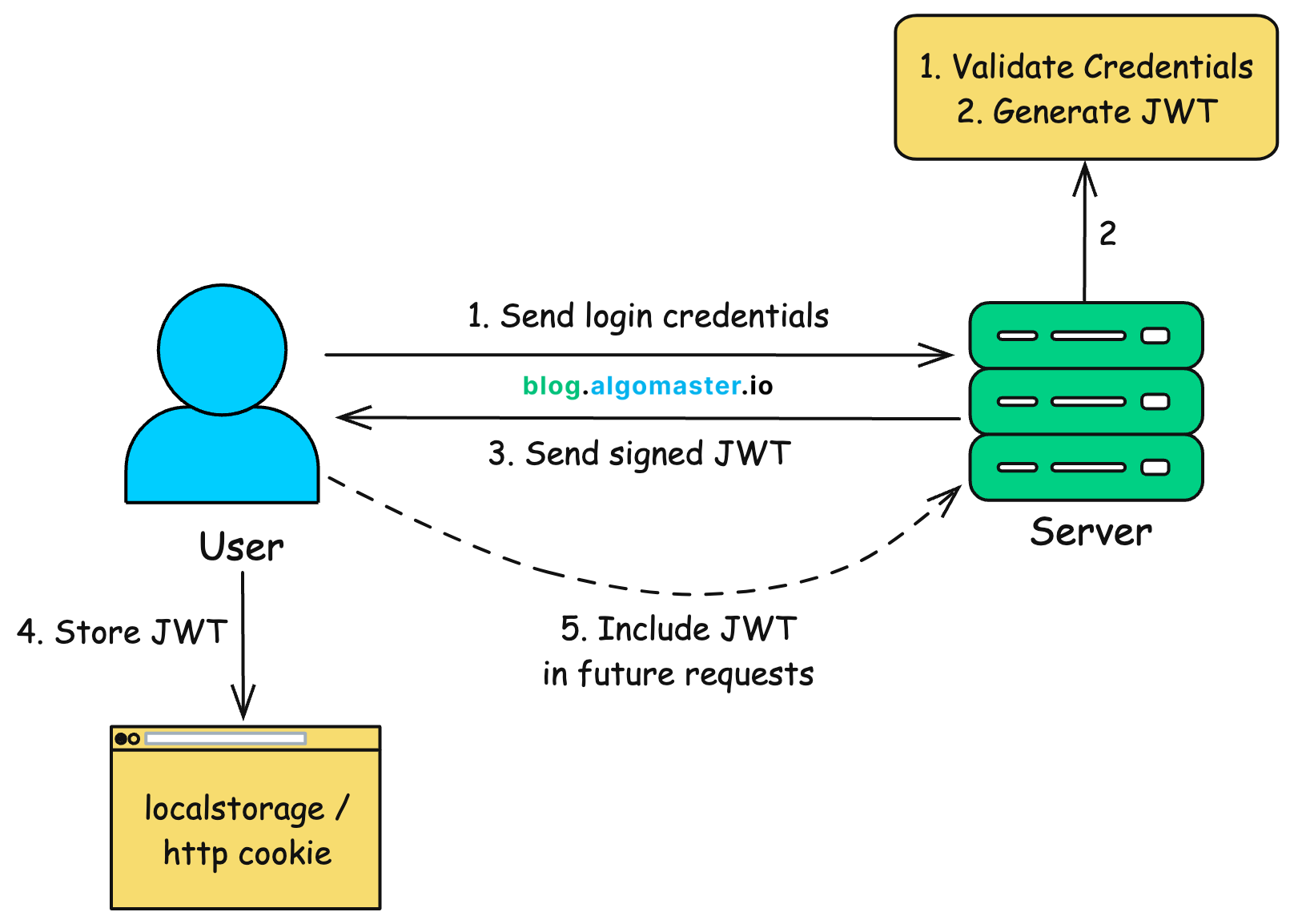
This is a common token used in IT but it's basically a session token but the only difference is that instead of the server giving it a unique identifier and storing the unique identifier, the token is digitally signed (integrity) so if show this JWT token to any resource or server in your environment it's automatically trusted and that server doesn't need to hit up another server to see if you are legit.
It also holds you claims (attributes).
These tokens can be used together:
Access
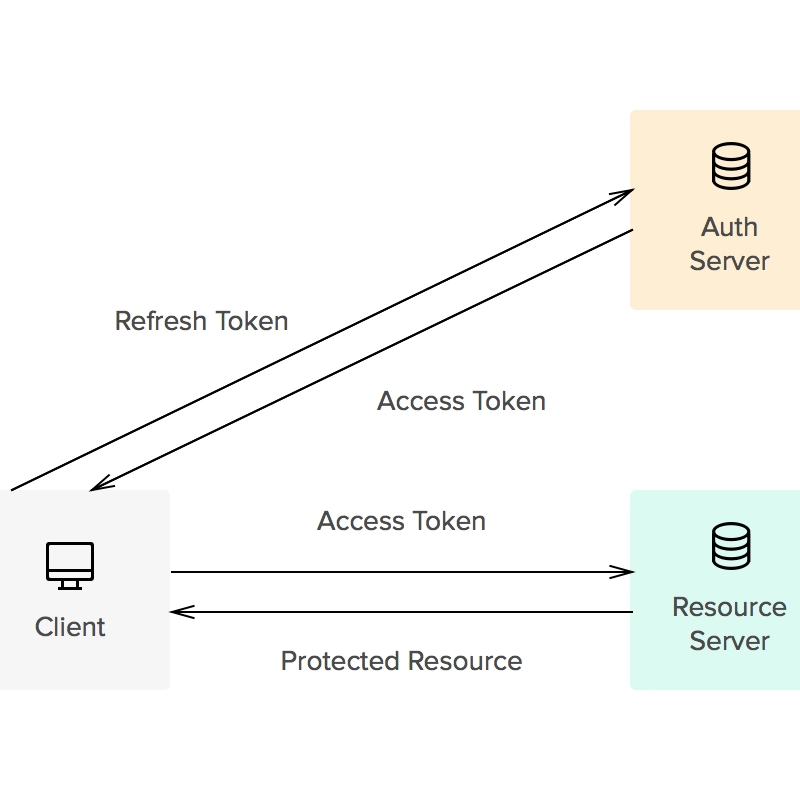
It's a temporary key that gives you access for certain applications, so for example in that token you may have an hour of access to that service. It also proves what you can do, so the token carries the permissions you have in that application. It answers the question 'what is the user allowed to do?'
ID
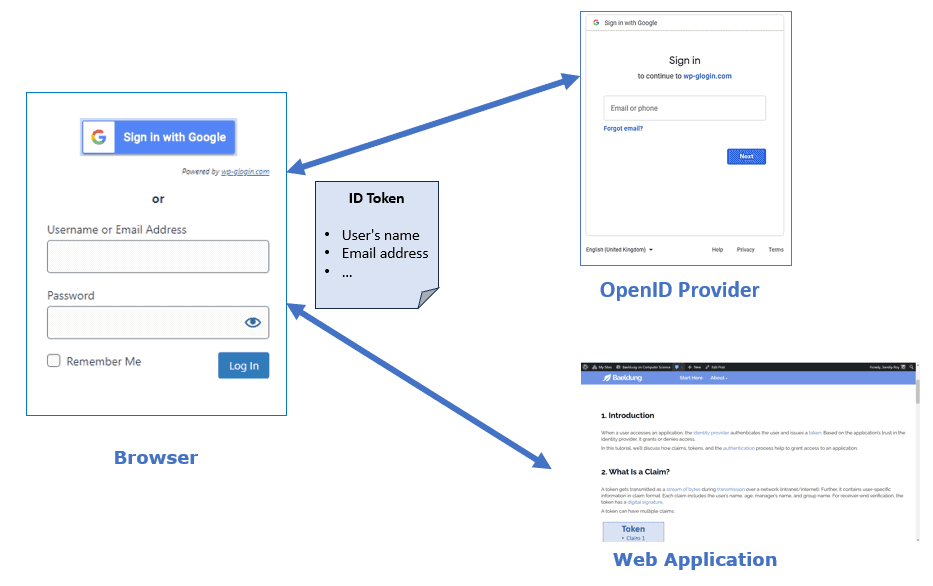
A badge you walk around with that answers the question 'who is this person?'. An application can read this token and greets you by your name.
Refresh
Lastly we have refresh tokens which is pretty straight forward. When an access token expires the refresh token is your renewal voucher that says 'hey, this guy is trusted please send them another access token' it's there to make sure you don't have to go through the whole authentication process again.
Blog Article | Medium - To learn about the five types of authentication tokens.
Documentation | Geeks for Geeks - To learn the difference between a session and a token based authentication