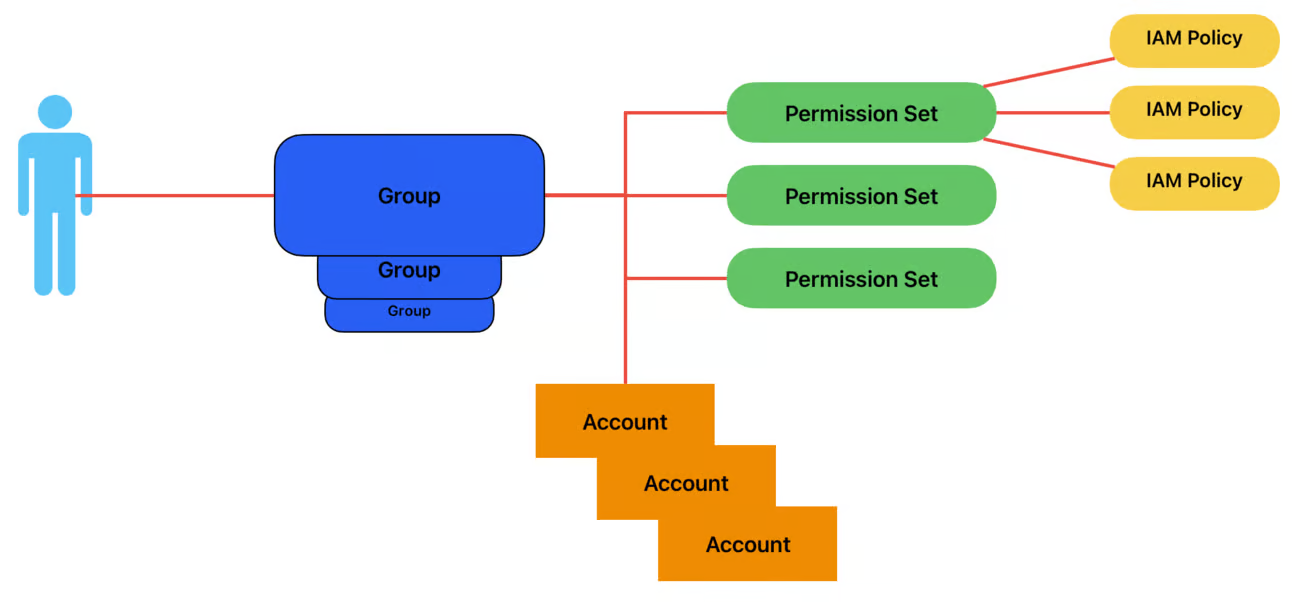
Permissions are granted using something called a Permission Set. A permission set is a collection of up to 10 IAM policies.
To provide access to an account, you assign a user/group a permission set and accounts. It’s a 3 part equation: group + permission set + account = what you can do.
Users and groups can be assigned multiple permission sets per account.
When you assign a permission set, that creates an IAM role in the account with the IAM policies you defined. It then sets the role trust policy to allow the identity provider (IAM Identity Center) to assume the role.
Created an AdminstratorAccess permission set.
Relay state, is just a fancy way of saying “when the user logs in with this permission set, put them into this part of the console”.
Assigned the Group to have AdminstratorAccess to the SecurityAudit and management account.
Must select the accounts then click on 'assign users and groups'
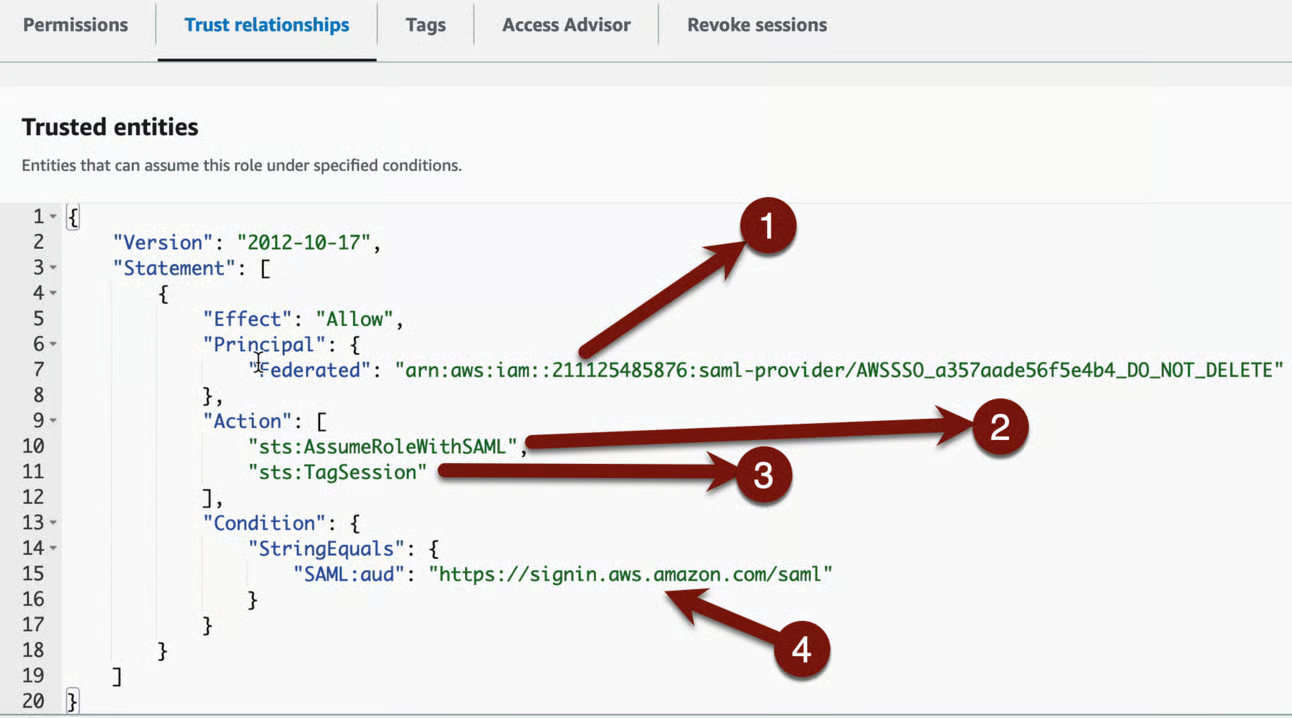
Reviewed the 'AWSReservedSSO_AdministratorAccess' role
This is the ARN of the Identity provider which Identity Center/Organizations created in the account. You can see it if you look under Identity providers. An AWS Organization can have more than one of these.
This gives the role permission to use the AssumeRolewithSAML API call, which is a bit different than AssumeRole but very similar.
This lets the IdP tag the session when you assume the role. This is very valuable for tracking, because it adds a session name which aligns with the user assuming the role.
The last is a condition that only allows this when using the signing portal, and only the AWS one. You can’t assume this role from any other origin.