IAM Identity Center allows organizations to manage user access centrally, reducing the need to create individual IAM users in each AWS account.
Federation enables a single identity source (e.g., Microsoft Entra ID, Okta) to manage access across multiple AWS accounts and services.
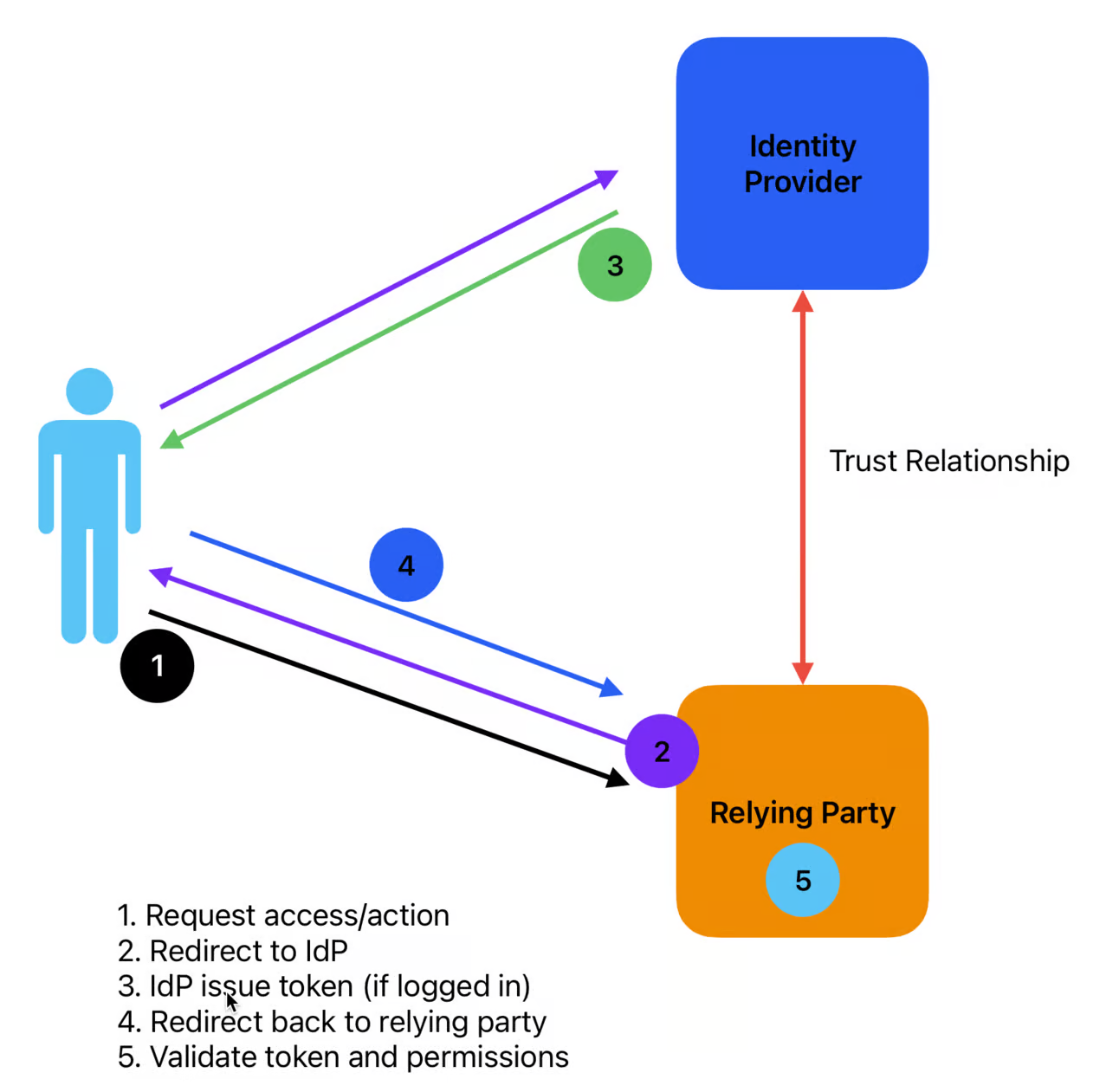
Identity Provider (IdP): This is where you log in. The identity provider is the home of the user pool or directory where you set up user accounts, groups, etc. We sometimes call this the authoritative source because it’s the ultimate decider of who you are and your groups & roles.
Relying Party: This is where you do things. The relying party… relies… on the IdP for authentication, so it can focus on authorization.
Users are created in the Identity Provider and assigned attributes such as group, role, and email address.
Administrators create a trust relationship between the identity provider and the relying party. This is usually an exchange of metadata to define the relationship and cryptographic signing certificate(s), and includes the URLs for communications.
A user logs into the IdP. When they go to log into a relying party, they provide the address of the IdP or some other identifier so the relying party knows who they are (this is usually hidden from the user).
The IdP then makes an assertion: a digitally signed statement that the user is who they say they are, including whatever attributes they send over (like a group or whether they used MFA).
The user is issued a digital token which represents the session. That token has a Time To Live (TTL) before expiration. The user only needs to present the token to the relying party, which then decides what the user is allowed to do.
When the token expires, the user needs to log in again, or ask for a refreshed token with a new TTL.